Barbell Strength 2026
Your Program Is Ready ✅
You just downloaded your personalized Barbell Strength file. Here’s the quick setup so you can use it in class every week (no stress, no math).
Quick Start (2 minutes)
- Open your file (Google Sheets / Excel / Apple Numbers).
- Find today’s row and follow Station A for your main lift.
- Log your AMRAP reps after your final work set (that’s the only thing you track).
Important: Don’t “clean up” the sheet. Don’t delete rows. Don’t type over formulas.
Only edit the yellow cells when needed.
1
Open your file in the right app
Pick what you already use — all 3 work.
- Google Sheets: easiest for most people.
- Excel: great if you already use Microsoft.
- Apple Numbers: works fine on iPhone.
2
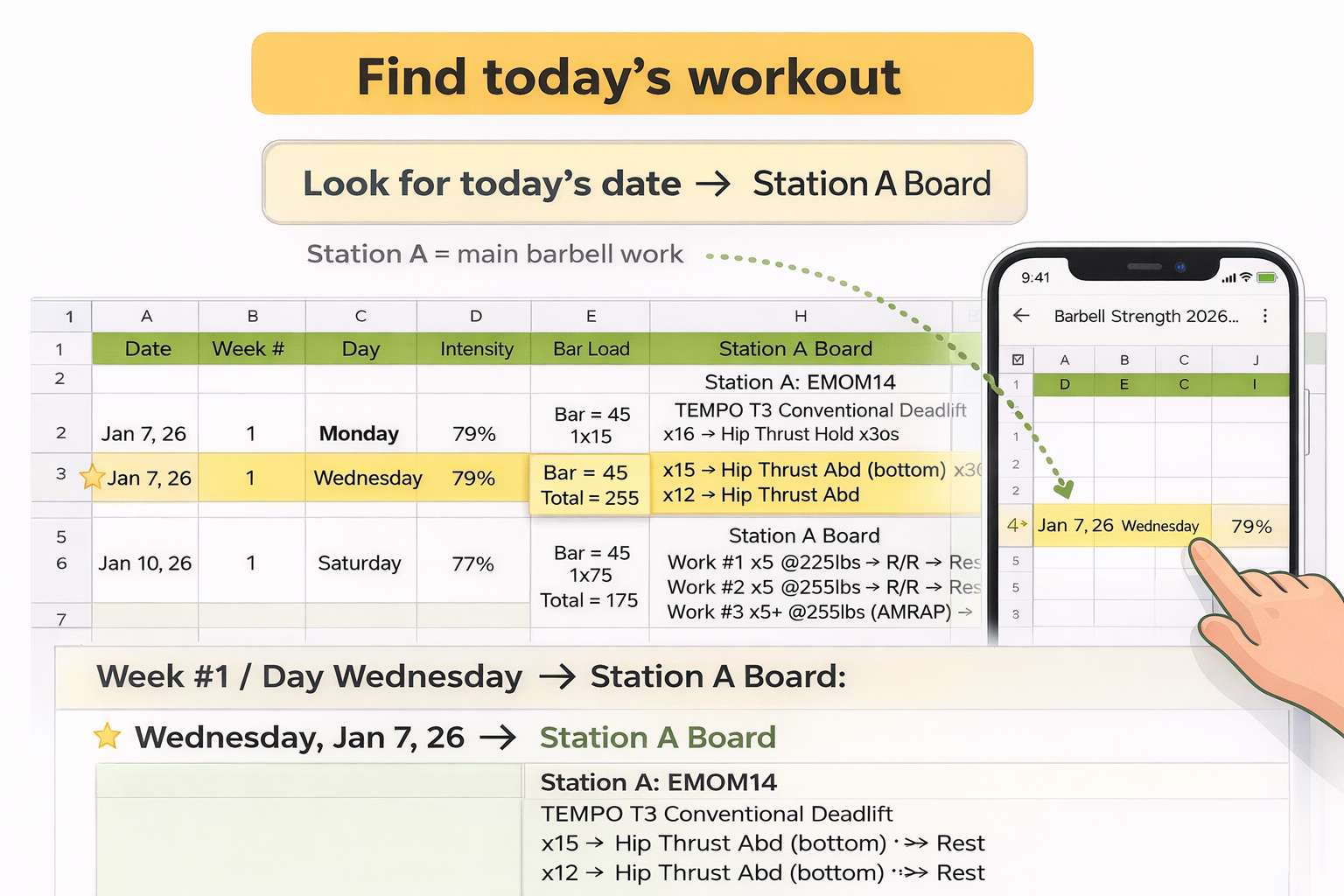
Find today’s workout
Your file is organized by date/week/day. Find today’s row and read Station A.
Look for today’s date → then read the Station A Board.
Step 2
Where to find today’s date + Station A Board
3
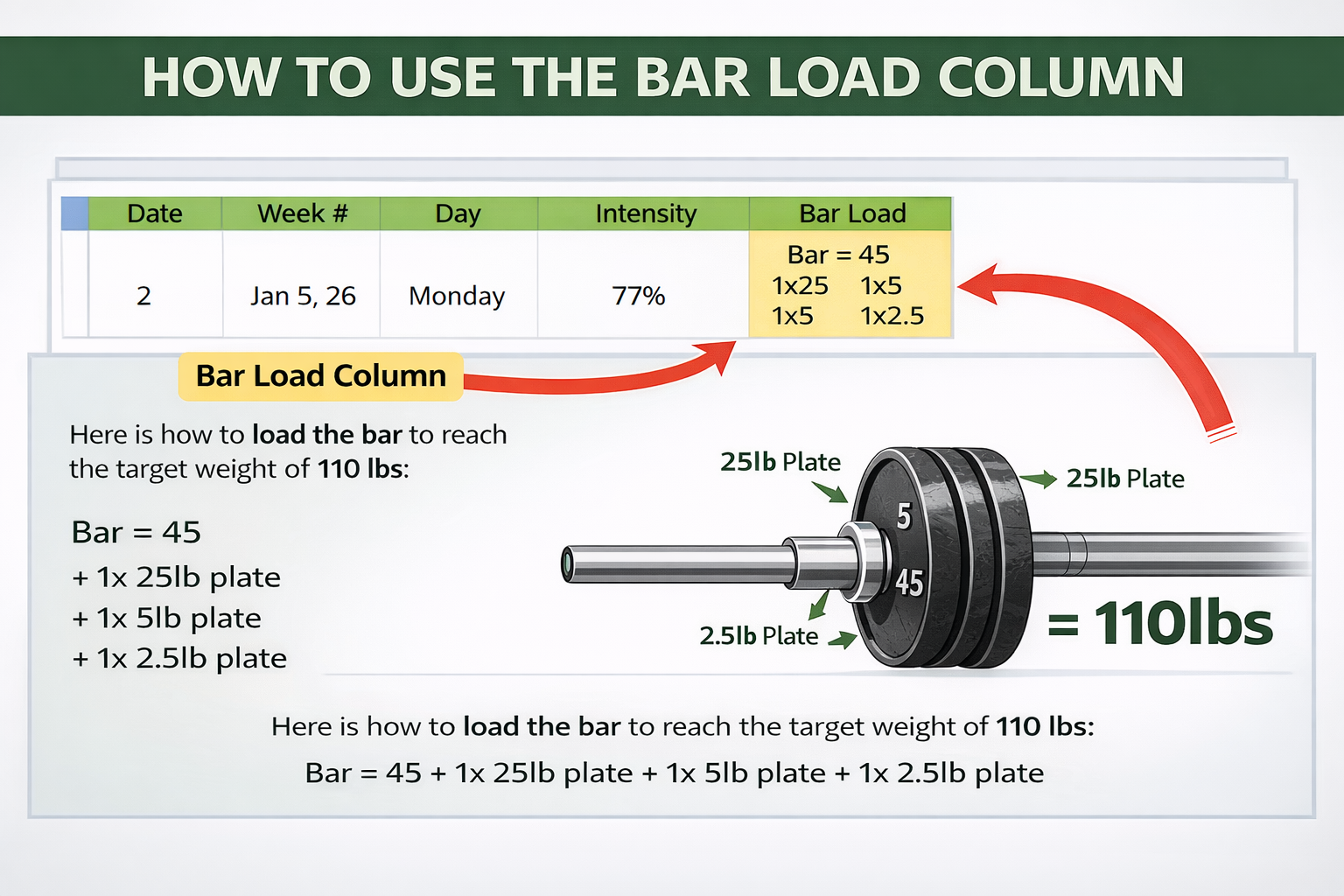
Use “Bar Load” to make loading easy
Bar Load tells you what plates to put on each side so you don’t do math.
- Example: “45 + 25 + 10” means per side.
- If a plate isn’t available, go to the closest option (coaches can help).
- Loads are rounded to the nearest 5 lb.
Step 3
Where to read Bar Load (plates per side)
4
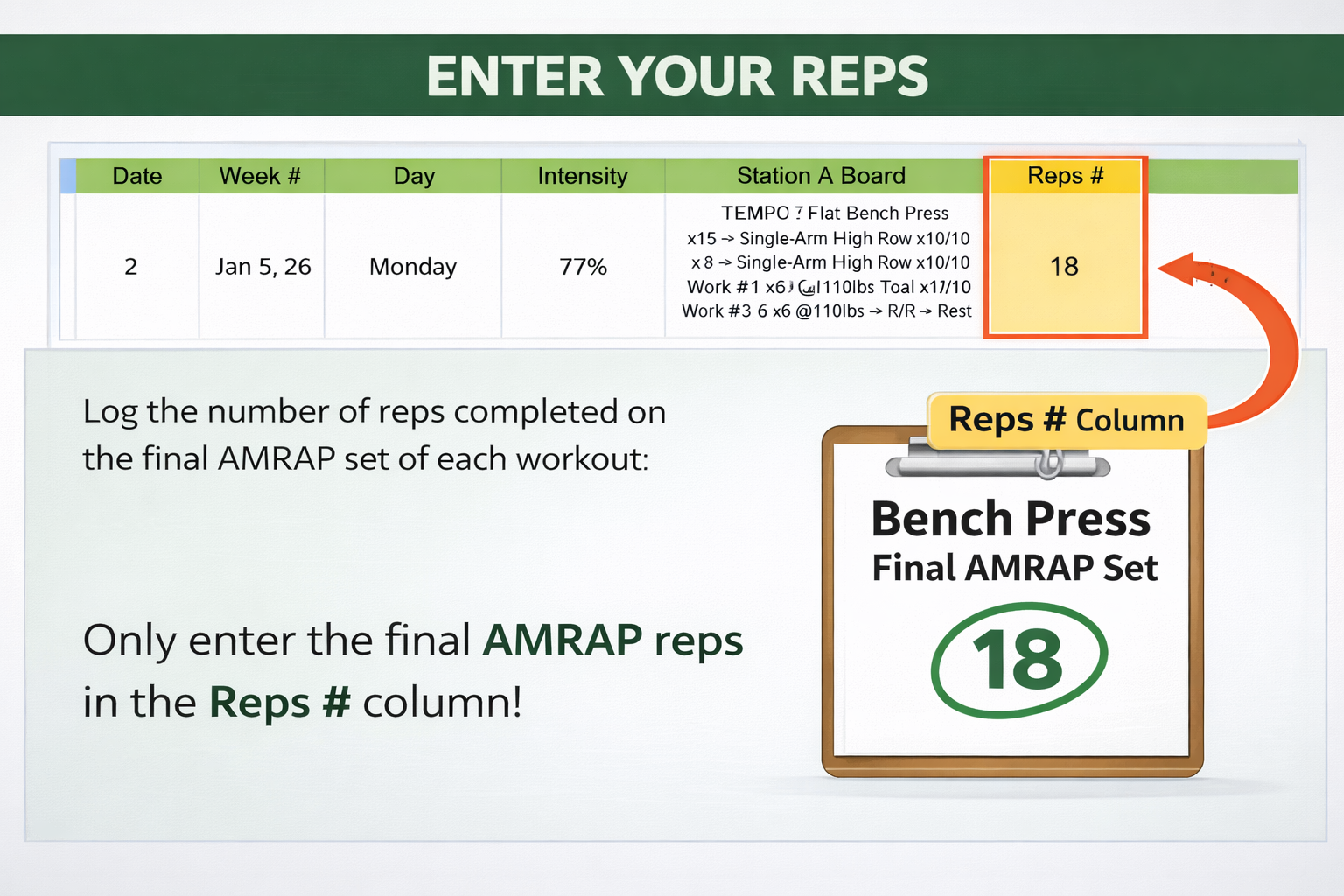
Log your AMRAP reps (only)
You don’t need to track everything. Just record the reps you hit on the final work set.
Example: “Work #3 x6+ @135” → you did 9 reps → log 9.
Step 4
Where to enter AMRAP reps
5
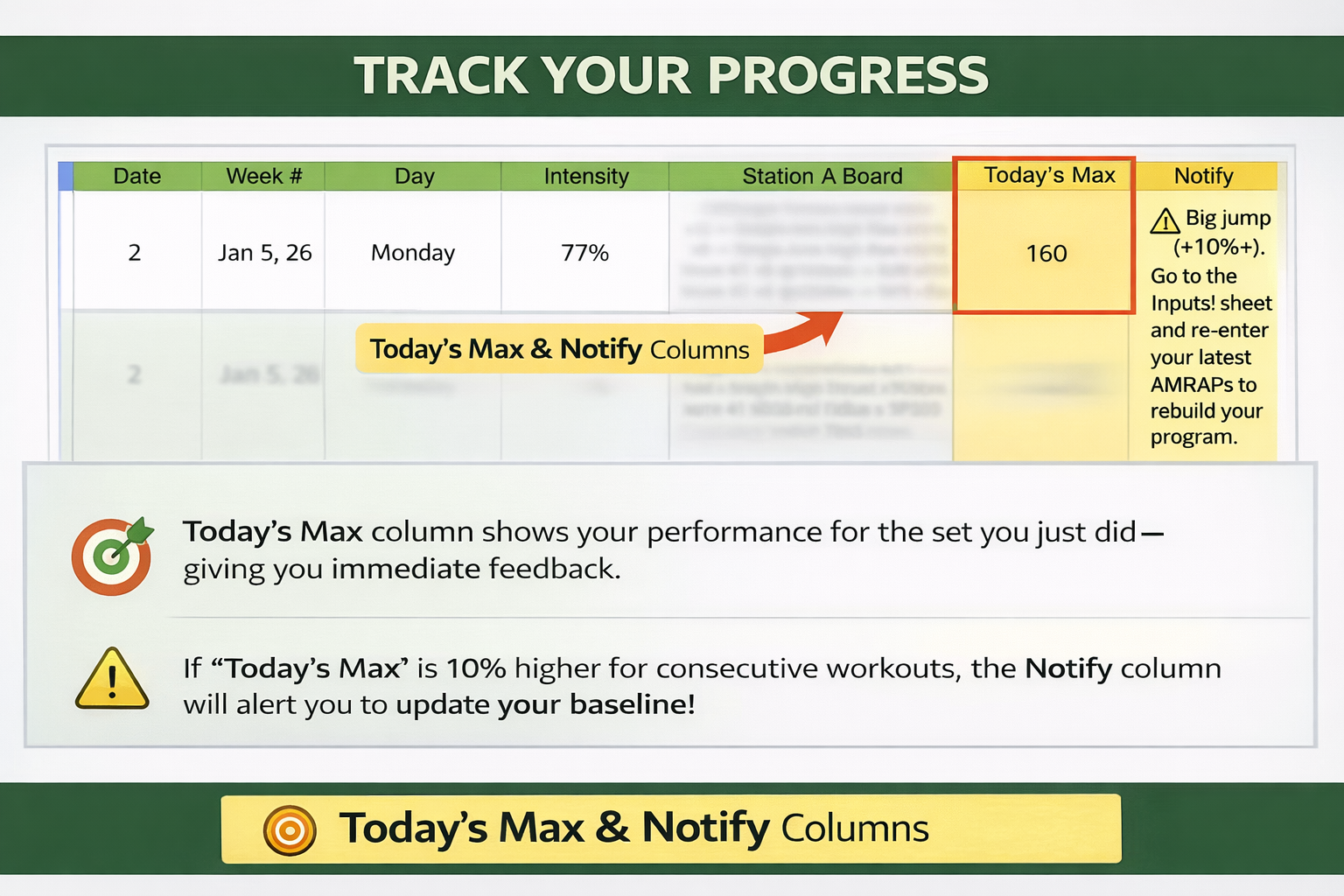
Watch for “Notify” (big progress signal)
If you hit a strong AMRAP and your daily max is 10%+ higher than your current Training Max, the sheet will flag you.
If you see a Notify message → go back to the website and re-enter your latest set to generate an updated file.
Step 5
Notify flag example
6
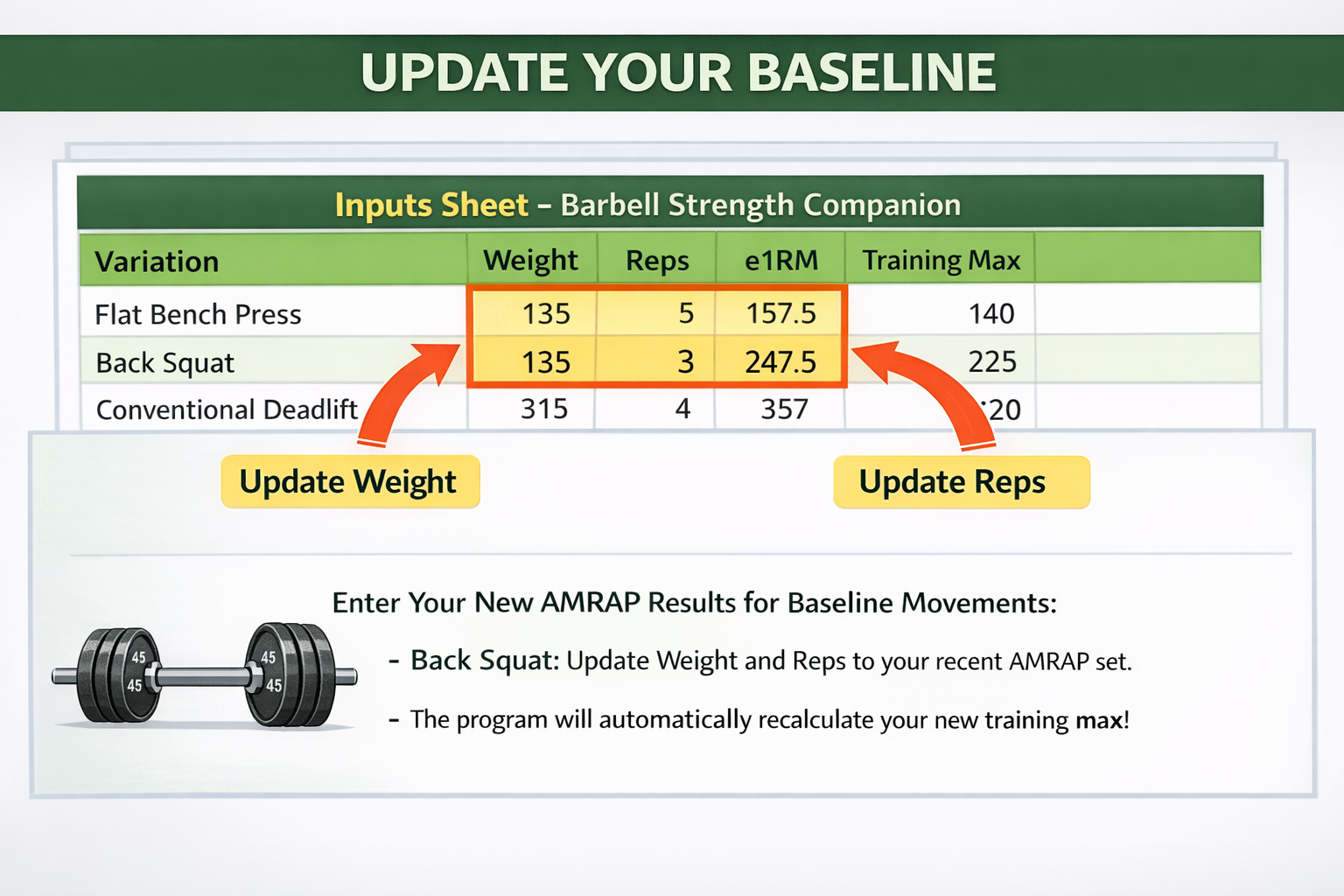
Update your weight + reps (only when needed)
If it’s been a while, or you’ve clearly gotten stronger, update your latest heavy set so your loads stay on track.
- Enter weight + reps in the yellow input cells.
- Use a set you could do with clean form (no grinders).
- Then keep training — the sheet handles the rest.
Step 6
Where to edit weight + reps (yellow cells)